-
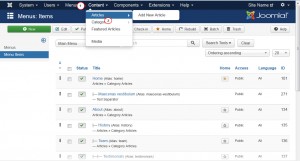
Navigate to Content -> Articles:
-
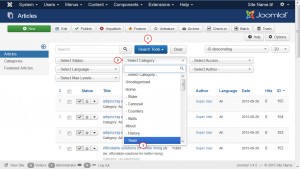
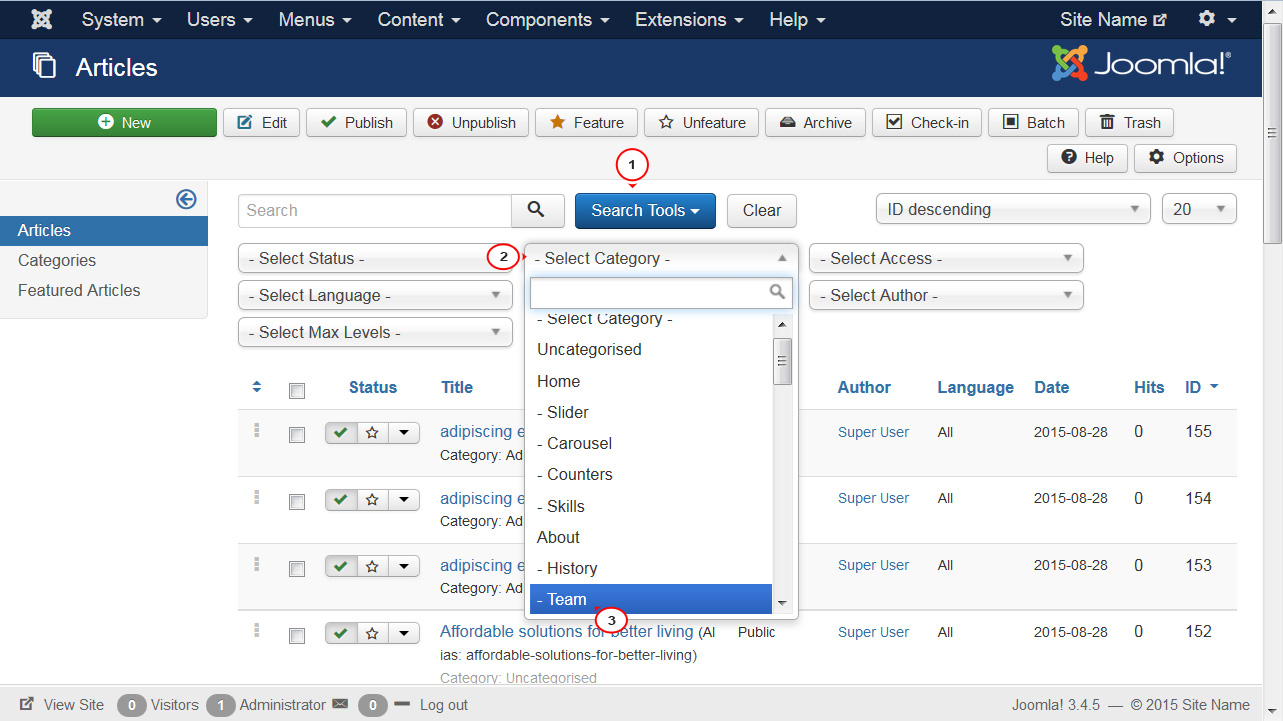
Click on the Search Tools.
-
Please note that you can sort the articles only within a specific category.
For example: In order to see the articles of the Member's Home category displayed on the Member's Home page, you need to locate Select Category option and choose Member's Home category. Now you can see the list of all the articles of this specific category:
-
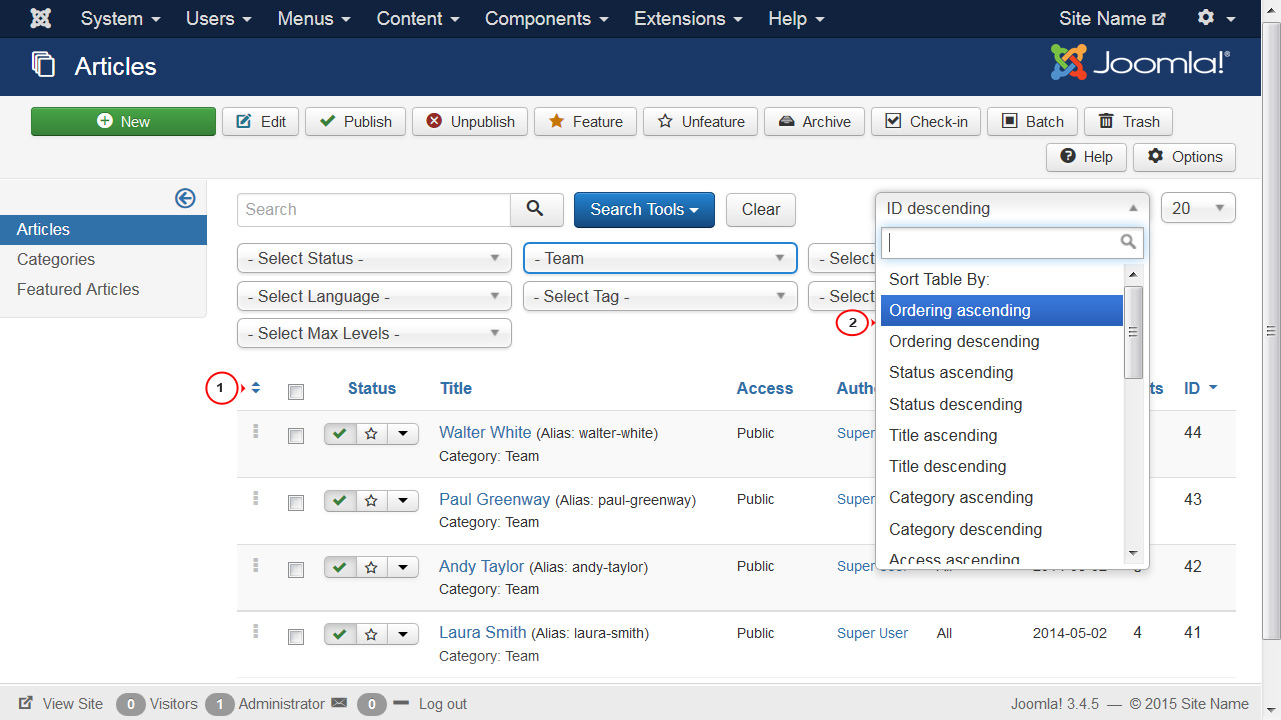
You are able to sort the articles items using the drag-and-drop feature. There are two ways to activate it.
-
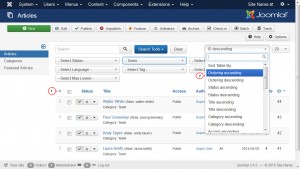
The first way is to click on the small up and down arrows in the top-left corner of the screen.
-
The second way is to choose Ordering ascending or Ordering descending options in the filter located in the top-right corner of the screen:
-
-
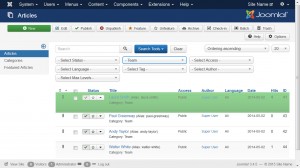
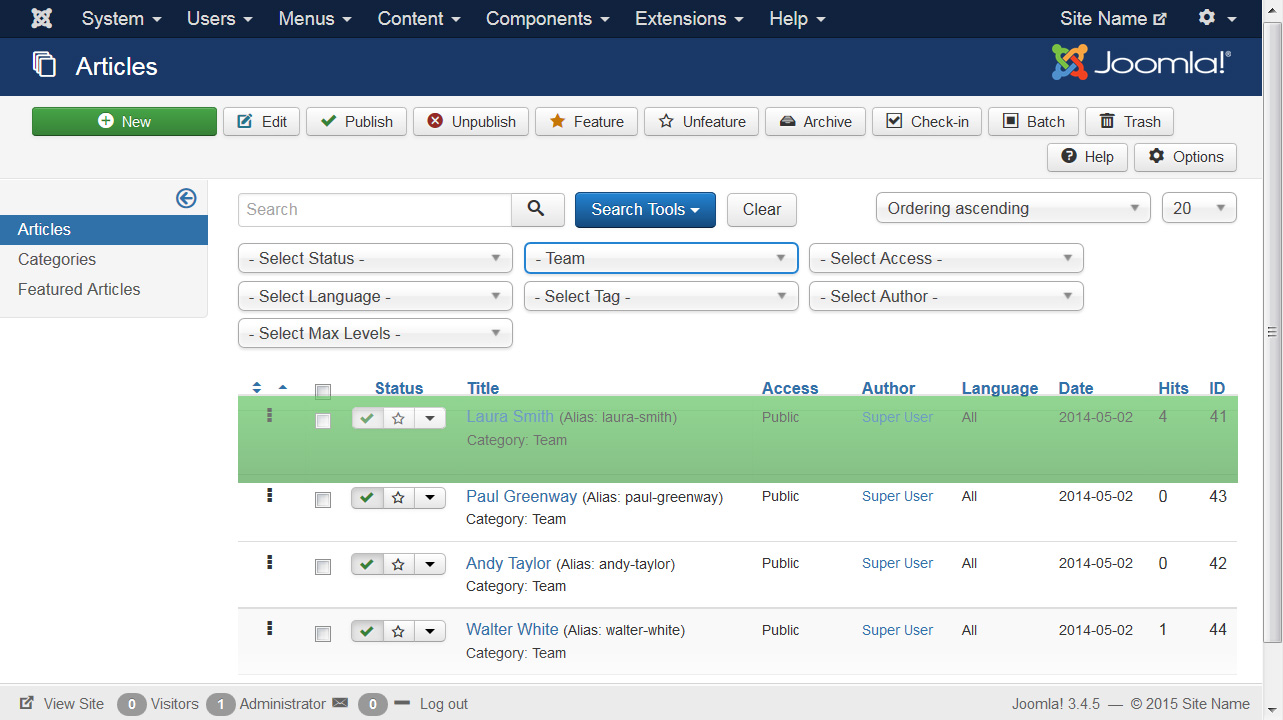
Now you can re-arrange your articles with drag-and-drop feature. To start sorting the items, select the dots in the left column and drag-and-drop items to your liking:
-
Once you have re-arranged your articles, you can refresh your website and review the changes.

Have more questions? Submit a request
Please sign in to leave a comment.
0 Comments