Access/ Security groups are assigned by going to MEMBER MANAGEMENT.
On the first tab, you will see GROUP.

To access the MEMBER'S area of your website, the user needs to be assigned "REGISTERED".
To give admin access, hold the CTRL key and click on the extra role. SAVE the change.
Do not assigned all roles! This will actually provide little access (as the lower security permission takes priority).
For other admin access levels, please refer to the following chart:
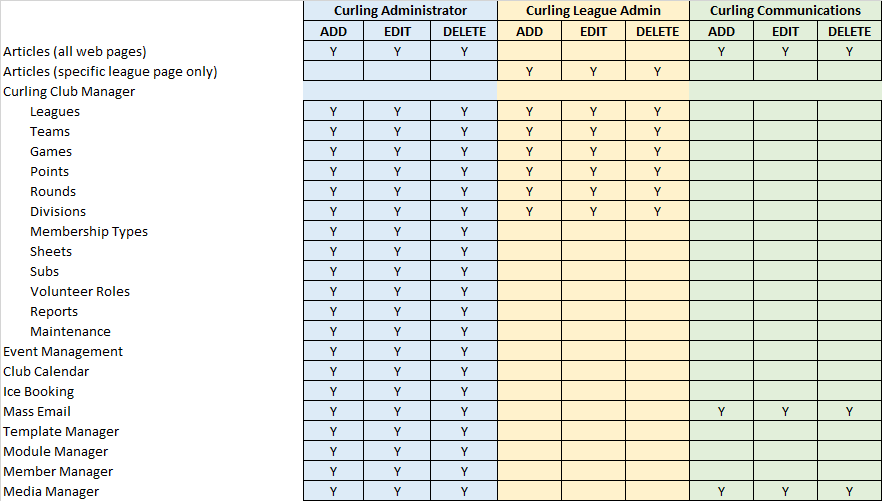
If there is a different role or changes to an existing role that you'd like to have, please create a support ticket.
0 Comments